
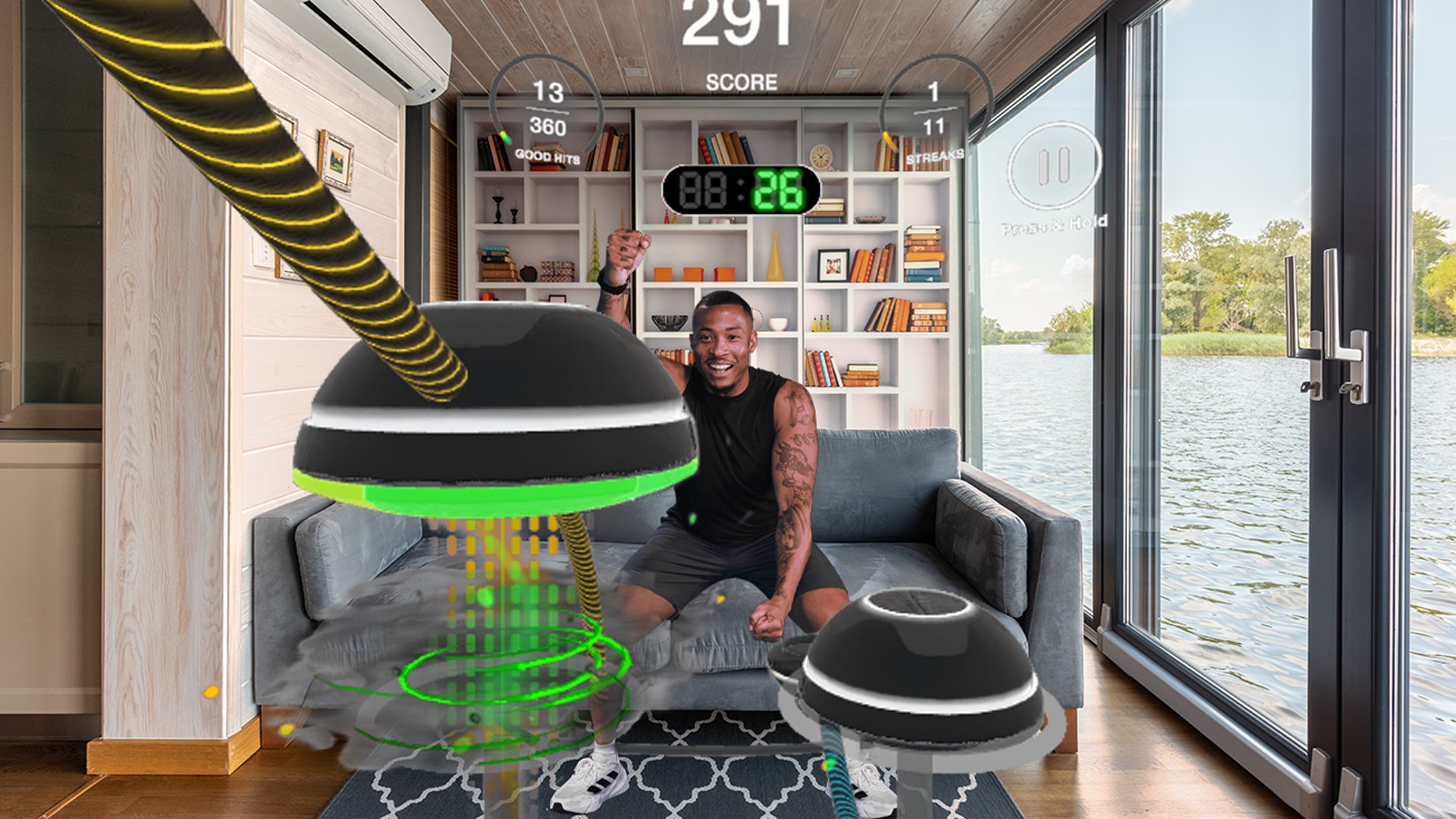

Set up your VR fitness space
A safe, clear physical environment is the foundation of any effective VR fitness routine. Meta recommends treating your play area like a dedicated gym zone, ensuring you have enough room to swing, punch, and squat without hitting furniture or walls. Start by clearing a minimum 2x2 meter (6.5x6.5 feet) area free of tripping hazards like rugs, cords, or pets.
Configure your boundary system to create a visible grid around your play area. For VR fitness, set the boundary slightly larger than your actual cleared space to provide a buffer zone during high-intensity movements. Test the boundary by walking to the edges while wearing the headset; adjust physical markers if the virtual boundary feels too tight or too loose.
Secure your equipment and lighting. Ensure your headset strap is snug but comfortable, and remove loose jewelry or glasses that might shift during vigorous activity. Good lighting helps the headset’s external cameras track your movement accurately. Avoid pitch-black rooms, but also avoid direct sunlight or bright lamps shining into the headset’s sensors, as this causes tracking jitter.
Choose apps for cardio and resistance
Building a sustainable VR fitness routine requires balancing high-intensity cardio with targeted resistance work. Select applications that keep your heart rate elevated for calorie burning while engaging major muscle groups for strength. Most successful programs combine a dedicated boxing or dance app with a strength-focused title.
Identify your primary fitness objective. If weight loss is the main driver, prioritize apps with continuous movement and high-energy music. If muscle engagement is the priority, look for titles that require holding poses or performing controlled resistance movements. Specializing in one or two core titles often yields better consistency than switching apps frequently.
Compare VR fitness apps
The table below compares popular VR fitness applications based on workout type, estimated calorie burn, and cost model.
| App | Workout Type | Est. Calorie Burn | Cost Model |
|---|---|---|---|
| Les Mills Bodycombat | Boxing/Kickboxing | High (600-800/hr) | Subscription |
| Rumble Boxing | Boxing | High (500-700/hr) | One-time purchase |
| FitXR | Dance/Cardio | High (400-600/hr) | Subscription |
| Black Box VR | Strength/Agility | Moderate-High | Subscription |
| Club Pilates | Pilates | Moderate (300-400/hr) | One-time purchase |
Focus on cardio for calorie burn
Cardio-focused VR fitness apps are the most effective for immediate calorie expenditure. Titles like Les Mills Bodycombat and Rumble Boxing require continuous punching and dodging, keeping your heart rate in the fat-burning zone. These apps often include structured classes with music-driven intervals, making it easier to maintain intensity without monitoring a watch.
For a more accessible entry point, FitXR offers dance-based cardio workouts that are easier on the joints while still delivering a significant calorie burn. The app features live classes and on-demand sessions, allowing you to follow along with instructors in real-time. This social element can improve adherence to your VR fitness routine.
Add resistance for muscle engagement
While cardio apps burn calories, they often lack the resistance needed for muscle growth. Black Box VR is designed specifically for this gap, using gamified tasks that require you to lift virtual weights and perform strength movements. The app tracks your progress and adapts to your strength levels, making it a solid choice for building muscle in the VR environment.
For targeted strength work, Club Pilates provides a controlled resistance experience. Pilates movements in VR engage the core, legs, and upper body through sustained tension rather than heavy lifting. This makes it an excellent complement to high-intensity cardio apps, helping to balance your VR fitness routine with low-impact strength training.
Follow the weekly workout schedule
A structured 4-week progression is the backbone of effective VR fitness. This schedule balances high-intensity cardio with active recovery to support weight loss and muscle retention. The goal is consistency, not perfection. Start with three sessions a week and build up to five as your endurance improves.
Week 1: Building the Habit
Focus on form and familiarity. Your body is adjusting to the physical demands of virtual environments.
- Monday: 20-minute session in Supernatural (Easy intensity). Focus on breathing and footwork.
- Wednesday: 20-minute session in Beat Saber (Easy/Medium). Prioritize clean cuts over speed.
- Friday: 20-minute session in Les Mills Bodycombat (Easy). Learn the basic punch combinations.
Take at least one full rest day between sessions. This allows your muscles to repair and prevents burnout.
Week 2: Increasing Volume
Add five minutes to each session. The intensity should remain moderate, but the duration builds cardiovascular endurance.
- Monday: 25-minute Supernatural session. Choose a route with moderate hills.
- Wednesday: 25-minute Beat Saber. Increase the song tempo slightly if comfortable.
- Friday: 25-minute Les Mills Bodycombat. Focus on maintaining rhythm throughout the session.
Week 3: Introducing Intervals
This week introduces short bursts of higher intensity. These intervals mimic high-intensity interval training (HIIT) principles, which are effective for fat loss.
- Monday: 30-minute Supernatural. During one song, push for maximum speed.
- Wednesday: 30-minute Beat Saber. Play two songs at Hard difficulty.
- Friday: 30-minute Les Mills Bodycombat. Add extra reps to the combo moves.
Week 4: Testing Limits
Maintain the 30-minute duration but increase the difficulty settings across all apps. This week solidifies the fitness gains from the previous three weeks.
- Monday: 30-minute Supernatural (Hard difficulty).
- Wednesday: 30-minute Beat Saber (Hard/Expert difficulty).
- Friday: 30-minute Les Mills Bodycombat (Hard intensity).
After Week 4, reassess your progress. You can either repeat this cycle with higher difficulty settings or transition to a maintenance schedule of three sessions per week.
Fix common VR fitness mistakes
Most VR fitness sessions fail because players chase high scores instead of maintaining proper form. The immersive nature of virtual reality can trick your brain into ignoring physical limits, leading to poor posture or unsafe movements. To build an effective VR fitness routine, you must prioritize technique over points.
1. Maintain a safe play area
Cluttered spaces are the leading cause of VR injuries. Before starting any workout, clear a minimum 6x6 foot area. Remove furniture, rugs, and tripping hazards. Use boundary systems provided by your headset to visualize safe zones. This prevents accidental collisions with real-world objects while you are focused on virtual opponents or exercises.
2. Keep your core engaged
It is easy to slouch when reaching for virtual targets. Slouching reduces the effectiveness of core workouts and strains the lower back. Imagine a string pulling the top of your head toward the ceiling. Engage your abdominal muscles throughout every rep, whether you are boxing, rowing, or dancing. This stability protects your spine and improves balance.
3. Avoid overextending your arms
Reaching too far for virtual objects often leads to shoulder strain. Keep your elbows slightly bent and within your natural range of motion. If you feel tension in your shoulders, step back or reduce the intensity. Proper form requires controlled, deliberate movements rather than maximal reaches.
4. Take regular breaks
VR fitness can be more intense than traditional exercise due to the added weight of the headset and the psychological immersion. Fatigue sets in quickly, leading to sloppy form and increased injury risk. Follow the 20-20-20 rule: every 20 minutes, take a 20-second break to rest your eyes and reset your posture. Hydrate frequently, as VR can mask signs of dehydration.
For more details on safety guidelines, refer to the Virtual Reality Institute of Health and Exercise.
Track progress and adjust intensity
VR fitness works best when you treat your data like a training log. Platforms like Black Box VR track calories, reps, and intensity zones automatically, giving you the raw numbers needed to measure weight loss and muscle endurance over time.
Start by reviewing your weekly averages rather than daily fluctuations. Daily data is noisy; weekly trends show if your VR routine is actually driving fat loss or building stamina. If your average heart rate or calorie burn drops while your workout duration stays the same, your body is adapting. This is a signal to increase resistance, speed, or complexity in your next session.
Adjust your intensity based on these metrics. If you are plateauing, switch to a higher-difficulty game mode or add weighted sleeves. Consistency in tracking ensures you are progressively overloading your muscles, which is essential for both weight loss and muscle retention.
Weekly VR Fitness Review Checklist
-
Compare this week’s average calories to last week’s.
-
Check if your workout duration increased or stayed consistent.
-
Note any drop in perceived exertion for the same games.
-
Adjust intensity: increase resistance, speed, or game difficulty.
-
Log how your muscles feel post-workout for recovery tracking.
Common vr fitness: what to check next
Addressing specific concerns about safety, hardware, and results helps reduce friction before you start your VR fitness journey. These answers focus on practical realities rather than marketing hype.
No comments yet. Be the first to share your thoughts!