
50 VR fitness activities for seniors: Safe virtual reality workouts to improve health after 50
Transitioning to VR fitness after 50 requires a shift from high-intensity gaming to sustainable movement. While virtual reality gamifies exercise to reduce the boredom of repetitive routines, the primary goal for seniors is maintaining mobility, cognitive function, and balance without risking injury.
We selected these activities and hardware based on three criteria: the availability of seated or low-impact modes, the intuitiveness of the user interface, and the stability of the tracking systems to prevent dizziness. We prioritize apps that offer scalable difficulty, allowing a beginner to start with gentle range-of-motion movements before progressing to cardiovascular activity.
How to choose
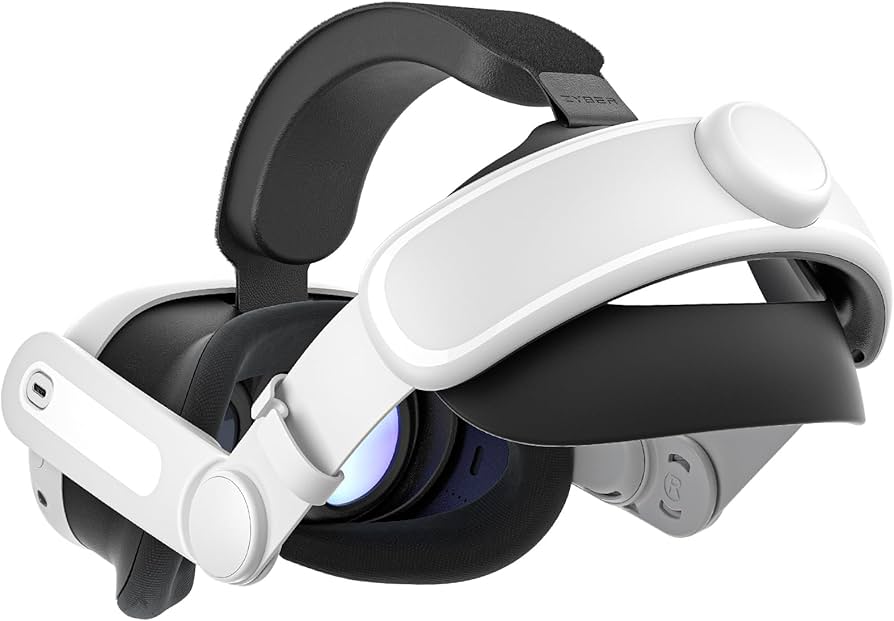
Selecting hardware depends on your mobility and available space. For most seniors, a standalone headset is the safest choice because it removes the tripping hazard of cables. When evaluating software, check for "Comfort Ratings"—experiences rated as "Comfortable" minimize artificial locomotion (moving in-game while standing still), which is the primary cause of motion sickness.
| Standalone VR | PC-Tethered VR |
|---|---|
| Setup | Complex cabling |
| Safety | Lower (trip risk) |
| Cost | High (requires PC) |

As an Amazon Associate, we may earn from qualifying purchases.
50 VR fitness activities and workouts
To maximize safety, categorize your VR sessions by intensity. Start with "Stationary" activities to build tolerance, then move to "Active" and "Dynamic" movements.
Low-impact and mobility (Stationary/Seated)
- Seated stretching in Tripp: Focus on arm extensions and torso rotations.
- Guided meditation in Guided Meditation VR: Slow breathing and mindful posture.
- Virtual Tai Chi: Slow, deliberate movements to improve balance.
- Seated boxing (shadow boxing): Light punches to increase heart rate without footwork.
- Hand-eye coordination drills: Touching floating targets in a 360-degree radius.
- Virtual yoga (seated): Modified poses focusing on flexibility.
- Wrist and ankle rotations: Using VR prompts to ensure full range of motion.
- Shoulder rolls in a scenic environment: Reducing tension in the upper back.
- Virtual painting (Tilt Brush): Large arm movements to improve reach.
- Slow-motion rhythm tapping: Following a beat with minimal exertion.
- Balance beam simulation (with support): Practicing weight shifting while holding a chair.
- Virtual gardening: Reaching and bending motions in a simulated plot.
- Mindful breathing exercises: Synchronizing arm movements with breath.
- Gentle neck rotations: Guided by visual cues to avoid overextension.
- Finger dexterity games: Tapping small virtual buttons to maintain joint health.
- Seated rowing simulation: Using controllers to mimic rowing motions.
- Virtual calligraphy: Precise, slow arm movements for stability.
- Soft-ball tossing: Simulating catching and throwing in a virtual space.
- Guided imagery walks (seated): Mental engagement paired with light limb movement.
- Torso twists: Rotating to follow a virtual guide in a 360-degree space.
Moderate cardio and coordination (Standing/Supported)
- Beat Saber (Easy mode): Slicing blocks to improve timing and coordination.
- Supernatural (Low intensity): Following a coach through scenic landscapes.
- FitXR (Beginner classes): Structured workouts with modified movements.
- Rhythm dancing: Simple step-touches to a beat.
- Virtual tennis (low speed): Swinging controllers to hit virtual balls.
- Ping pong (Eleven Table Tennis): Improving reflexes and hand-eye coordination.
- Virtual bowling: Practicing the swing and release motion.
- Light aerobics: Following a virtual instructor's basic steps.
- Virtual hiking (slow pace): Walking in place while exploring a trail.
- Air drumming: Using controllers as sticks to improve upper body rhythm.
- Virtual archery: Drawing a bow to strengthen shoulder and back muscles.
- Lightweight boxing (FitXR): Incorporating basic footwork and jabs.
- Virtual swimming (standing): Mimicking breaststroke and freestyle motions.
- Balance training (Mixed Reality): Using MR to see the floor while balancing.
- Virtual golf (putting): Focus on precision and slight bending.
- Rhythm-based arm reaches: Stretching upward and outward to a beat.
- Virtual skiing (stationary): Shifting weight from side to side.
- Light jogging in place: Using a virtual treadmill environment.
- Virtual kayaking: Using a rowing motion to navigate a river.
- Coordination puzzles: Moving through a space to solve physical riddles.
Dynamic and strength-focused (Active)
- Full-body rhythm workouts: Combining squats and arm reaches.
- Virtual dance-offs: Higher energy movements to improve agility.
- Active dodging: Stepping side-to-side to avoid virtual obstacles.
- Virtual climbing (slow): Reaching high and low to simulate a climb.
- Dynamic stretching: Moving through a series of active stretches.
- Fast-paced target hitting: Increasing the speed of reaction drills.
- Virtual sports training: Mimicking specific athletic movements (e.g., baseball).
- Interval training (HIIT light): Alternating 30 seconds of activity with 1 minute of rest.
- Full-range arm circles: Using VR guides to ensure a complete circle.
- Mixed Reality obstacle course: Navigating your actual room with virtual markers.
No comments yet. Be the first to share your thoughts!