
Get VR fitness right
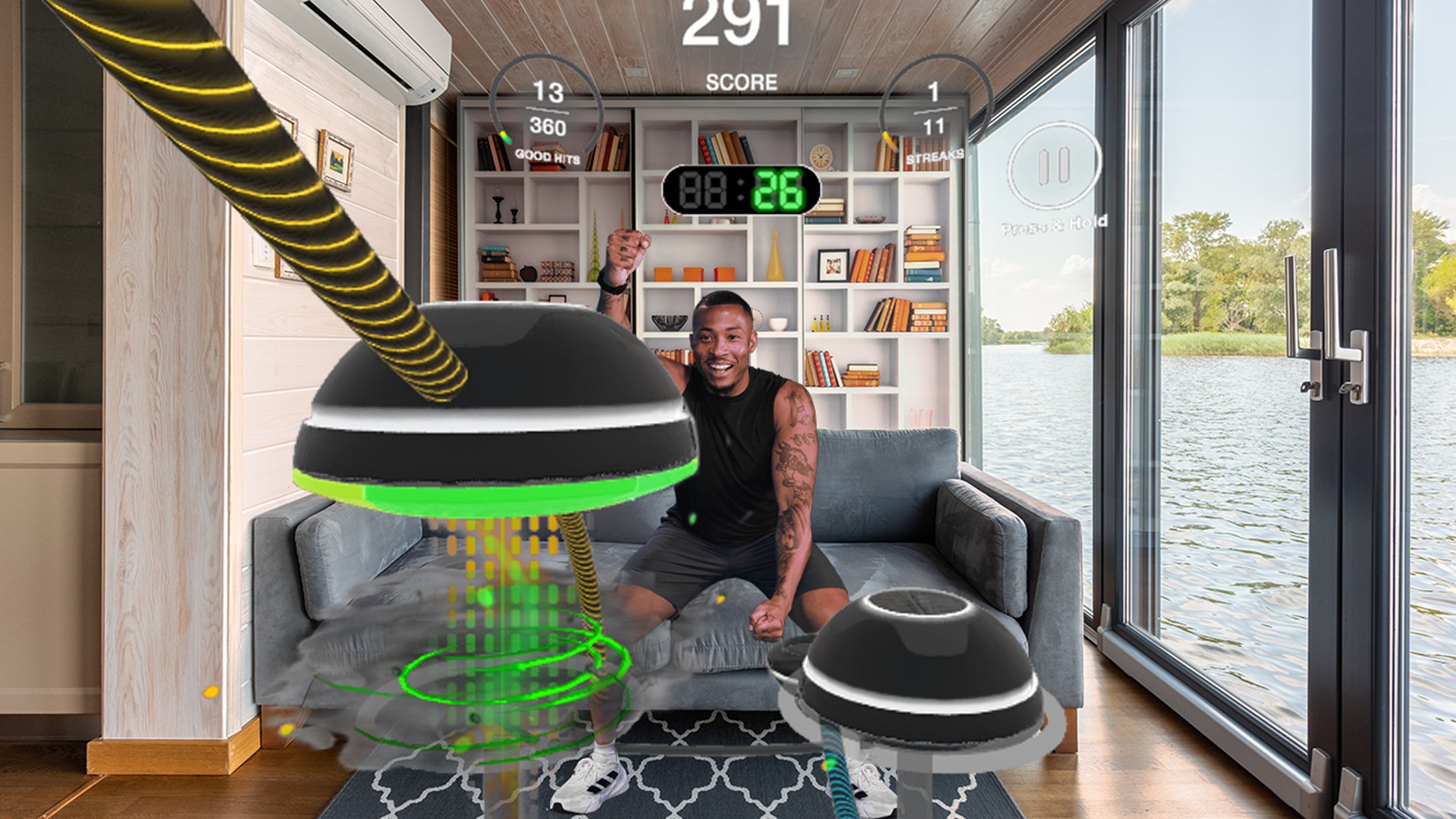
Before you strap on a headset, you need to clear the physical space and set the digital foundation. VR fitness is an innovative approach to exercise that immerses users in a digital environment while engaging in physical activities. However, this immersion requires a safe, uncluttered area to prevent injury during intense movements.
Start by measuring your play area. A minimum of 2x2 meters (6.5x6.5 feet) of clear floor space is essential. Remove any furniture, rugs with thick pads, or pets that could interfere with the tracking cameras. Ensure your headset’s battery is fully charged and the controllers are synced.
Next, adjust the headset fit. The straps should be snug but not tight, with the lenses positioned directly in front of your eyes. Poor fit causes eye strain and breaks tracking, ruining the experience. Set your guardian boundary carefully, marking the exact limits of your safe zone.
Finally, choose your starting intensity. If you are new to VR, begin with low-impact games like Pilates or Supernatural’s warm-up modes. Avoid high-intensity boxing or rhythm games until you are comfortable with the headset’s weight and motion. This gradual approach builds endurance without overwhelming your vestibular system.
Work through the steps
Setting up your Meta Quest for fitness requires more than just putting on the headset. It involves preparing your physical space, calibrating your safety boundaries, and selecting software that matches your current fitness level. Skipping these setup steps often leads to poor form, injury, or a frustrating experience that makes you abandon the habit.
Follow this sequence to ensure your VR fitness session is safe, effective, and sustainable.
Step 1: Clear and measure your play space
Start by removing any obstacles from a 2x2 meter area. VR fitness requires full arm extension and leg movement. If you are using standing games like Les Mills Bodycombat or Supernatural, you need enough room to punch and dodge without hitting furniture. Place your headset in the center of the room and use the Guardian system to draw a safe boundary. This digital fence is your primary safety net; if you cross it, the virtual environment will freeze, but your real-world surroundings remain visible.
Step 2: Adjust the headset for comfort and clarity
A blurry image or heavy headset causes neck strain, which kills workout longevity. Insert the correct thickness IPD (interpupillary distance) dial for your eye spacing. Adjust the head strap so the weight rests on the back of your head, not your face. Use the companion app on your phone to fine-tune the lens distance while you wear the headset. Clear vision reduces eye fatigue, allowing you to focus on your form rather than squinting at virtual targets.
Step 3: Calibrate your body tracking
For accurate calorie tracking and form feedback, you must tell the system what your body looks like. In the settings, select "Body Tracking" or "Avatar" setup. Stand in a neutral T-pose or follow the on-screen prompts to map your height and arm span. This step is critical for games that use your real movements to control the avatar. If your avatar is too tall or short, you will overexert yourself or fail to engage the correct muscle groups. Sync this data with the companion app to ensure your fitness metrics are accurate.
Step 4: Select your initial fitness program
Choose a game that aligns with your current fitness level. For beginners, start with low-impact options like Club Pilates or Beat Saber on a lower difficulty. These games build coordination and cardiovascular endurance without the high intensity of boxing or martial arts titles. If you are already active, Supernatural or Les Mills Bodycombat offer structured, high-intensity interval training (HIIT) workouts. Avoid jumping straight into the most intense games; your heart rate and muscle fatigue will spike too quickly, leading to burnout.
Step 5: Hydrate and monitor your heart rate
VR fitness can feel easier than real-world cardio because the immersion distracts you from the physical effort. However, your heart rate can climb just as high. Wear a chest strap or smartwatch that syncs with your headset or the companion app. Keep water within arm's reach of your play space. Set a timer for your first session to 15–20 minutes. This duration is enough to get a sweat going without overwhelming your joints or cardiovascular system. Gradually increase the time as your stamina improves.
Step 6: Review your post-workout stats
After your session, check the companion app or the game’s dashboard. Look at your average heart rate, calories burned, and accuracy scores. If your heart rate stayed too low, the game might be too easy, or your form was sloppy. If it spiked too high too quickly, reduce the intensity or take more breaks. Use this data to adjust your next session. Consistency is more important than intensity in the first few weeks. Tracking your progress helps you stay motivated and ensures you are actually getting a workout.
Fix common mistakes
Most VR fitness sessions fail not because of the hardware, but because of poor setup. When you treat a virtual gym like a real one without adjusting for the digital environment, you risk injury or simply quitting out of frustration. These errors are common among beginners using platforms like Meta Quest, but they are entirely preventable with a few adjustments.
1. Ignoring the safe play space
The headset tracks your movement in a defined volume, but it cannot see real-world obstacles outside that zone. If your clear space is too small, you might swing a virtual boxing glove into a coffee table or trip over a rug edge.
The fix: Measure your room before launching any app. Move all furniture, pets, and clutter at least two meters away from the center of your play area. Use the Guardian or Boundary system to mark the exact perimeter. If you are doing high-intensity cardio, consider a smaller, softer play space to reduce the impact of accidental collisions.
2. Wearing the wrong gear
VR headsets are heavy. Wearing them while jumping, burpees, or boxing puts significant strain on your neck and back. Cotton t-shirts and loose shorts can also get tangled in your arms or legs during rapid movements, causing you to lose balance.
The fix: Wear supportive athletic shoes with good lateral stability to prevent ankle rolls. Choose fitted clothing that allows full range of motion without fabric getting in the way. If you have long hair, tie it back securely. Consider a third-party headset mount or strap that distributes weight across the back of your head rather than just the front, reducing neck fatigue during longer sessions.
3. Skipping the warm-up
In VR, it is easy to jump straight into high-intensity games like Supernatural or Les Mills Bodycombat because the distraction of the virtual world masks physical fatigue. This leads to sudden spikes in heart rate and muscle strain.
The fix: Spend five minutes doing dynamic stretches in the real world before putting on the headset. Arm circles, leg swings, and light jogging in place prepare your joints for the specific movements the VR app requires. This simple step reduces injury risk and improves your performance in the virtual environment.
Vr fitness: what to check next
Virtual reality fitness removes the friction of traditional gym routines by turning exercise into an immersive game. Instead of counting reps on a treadmill, you are dodging attacks in a sci-fi arena or following a virtual instructor through a dance routine. This shift in context often leads to higher consistency and unexpected calorie burn.
What is the meaning of VR fitness?
VR fitness is an exercise method that uses a headset to immerse users in digital environments while they perform physical activities. By interacting with virtual worlds designed for movement, users engage in gameplay that doubles as a workout. This approach combines the engagement of video games with the physiological benefits of cardiovascular and strength training.
Can VR fitness help with weight loss?
Yes, VR fitness can be an effective tool for weight loss when used consistently. High-intensity games like boxing or dance titles can burn 500-700 calories per hour, comparable to traditional cardio. The key is maintaining a heart rate in the target zone; casual movement in low-intensity apps may not provide the stimulus needed for significant fat loss.
Do I need expensive equipment to start?
Most VR fitness experiences require only the headset and controllers, which are included with devices like the Meta Quest 3. You do not need additional weights or treadmills to begin. However, having a clear, open space of at least 2x2 meters is essential for safety and to allow for full range of motion during vigorous movements.
Is VR fitness safe for beginners?
VR fitness is generally safe, but users must prioritize spatial awareness to avoid collisions with real-world objects. Start with seated or low-movement apps to build familiarity before attempting high-intensity titles. It is also advisable to wipe sweat frequently, as moisture can obscure the headset lenses and reduce visibility during workouts.
No comments yet. Be the first to share your thoughts!