
VR fitness is more than a gimmick
There’s a lot of buzz around VR fitness right now, and for good reason. People are looking for ways to make exercise more engaging, and virtual reality offers a completely different experience than traditional workouts. It's not just a fad; it feels like a genuine shift in how people approach getting in shape.
The idea of exercising in virtual reality isn’t new. Early experiments date back decades, but the technology was clunky and expensive. Now, with more affordable headsets like the Meta Quest 3 and increasingly sophisticated software, VR fitness is becoming accessible to a wider audience. We’ve moved from awkward, limited demos to truly immersive and effective workouts.
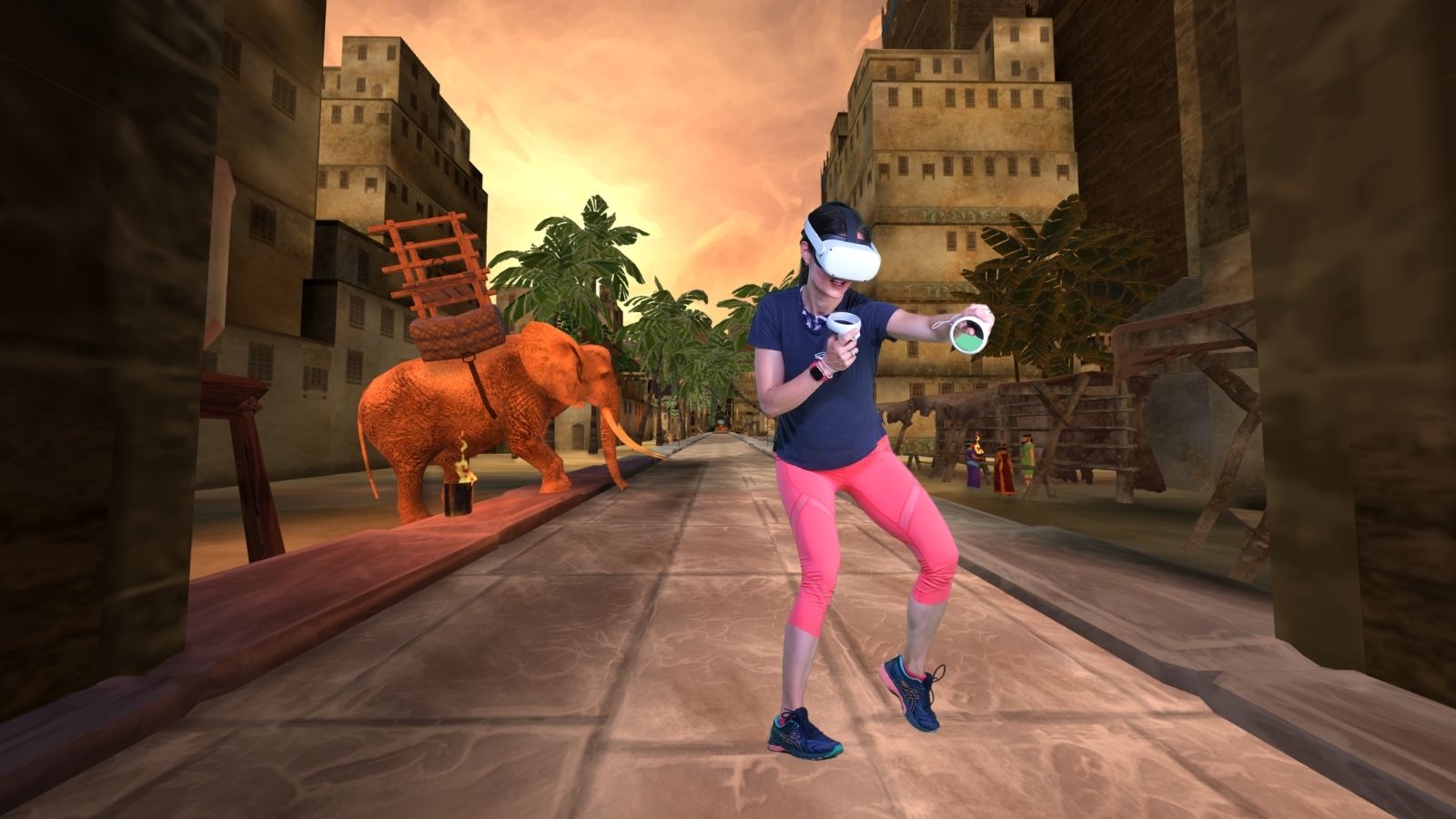
The appeal is easy to understand. VR offers immersion – you’re not just staring at a gym wall, you’re climbing a virtual mountain or boxing in a futuristic arena. Gamification adds another layer of motivation, turning exercise into a challenge with rewards and progression. Plus, it's convenient. You can work out at home, on your schedule, without needing expensive equipment or a gym membership.
Skepticism is fair. Motion sickness, cost, and space are real hurdles. You can beat the nausea by starting slow and picking games with fixed horizons. While a Quest 3 isn't exactly a budget purchase, it's cheaper than a year at a high-end gym. Industry analysts expect the market to grow steadily through 2033 as the hardware gets lighter.
How the 30-day challenge works
This 30-day VR fitness challenge is designed to be a progressive journey, building your endurance, strength, and overall fitness level. It's not about going all-out from day one; it’s about gradually increasing intensity and building sustainable habits. We're aiming for a real transformation, not just a temporary burst of activity.
The challenge is broken down into four weekly phases. Week 1 focuses on building a foundation of fitness with low-impact cardio and bodyweight exercises. Week 2 introduces a cardio boost, increasing the intensity and duration of your workouts. Week 3 shifts the focus to strength training, incorporating games that challenge your muscles. Finally, Week 4 emphasizes endurance and recovery, allowing your body to adapt and prepare for continued progress.
We recommend working out 5-6 days per week, with at least one full rest day. Remember, recovery is just as important as exercise. Each workout should begin with a 5-10 minute warm-up, including dynamic stretching and light cardio. End each session with a 5-10 minute cool-down, focusing on static stretching. A comfortable and safe play space is essential – clear any obstacles and ensure you have enough room to move freely.
Picking your virtual gym
Choosing the right VR fitness games is crucial for staying motivated and achieving your goals. The good news is there's a growing library of options, catering to different fitness levels and preferences. It’s like building your own personalized VR gym, without the hefty membership fees.
For cardio, Supernatural is a popular choice, offering guided workouts with stunning virtual environments. However, it requires a monthly subscription starting at $19.99. FitXR, which often has promotional offers – a month of free access is currently available with code VIKINGPRINXR according to a recent YouTube video – is another excellent option, offering boxing, dance, and sculpting classes. It’s generally more affordable than Supernatural.
If you enjoy boxing, Les Mills Bodycombat provides an intense and realistic workout experience. Beat Saber, while not specifically designed for fitness, is a surprisingly effective cardio workout. Slicing through blocks to the beat is incredibly engaging and gets your heart rate up quickly. It’s available for around $29.99 on the Meta Quest store.
For strength training, look for games that incorporate squats, lunges, and upper body movements. OhShape is a unique game that challenges your agility and reflexes. Many games, like FitXR, offer dedicated strength training modules. Remember to factor in the cost of both the headset and the games/subscriptions when budgeting for your VR fitness journey. It's important to note that some games are one-time purchases, while others require ongoing subscriptions.
Sample Weekly Workout Plan
Here’s a sample weekly workout plan to guide you through the 30-day challenge. This is just a starting point; feel free to adjust it based on your fitness level and preferences. Remember to listen to your body and take rest days when needed. This plan assumes you’ve completed the initial setup and are familiar with the basics of your chosen games.
Week 1: Foundation – Monday: 20 minutes of FitXR cardio sculpting. Wednesday: 15 minutes of Beat Saber (easy difficulty). Friday: 20 minutes of Supernatural flow (low intensity). Week 2: Cardio Boost – Monday: 30 minutes of FitXR boxing (moderate intensity). Wednesday: 25 minutes of Beat Saber (medium difficulty). Friday: 30 minutes of Supernatural interval training.
Week 3: Strength Focus – Monday: 30 minutes of Les Mills Bodycombat. Wednesday: 20 minutes of FitXR strength training. Friday: 25 minutes of Beat Saber (high intensity). Week 4: Endurance & Recovery – Monday: 45 minutes of FitXR (mix of cardio and strength). Wednesday: 30 minutes of Supernatural (moderate intensity). Friday: 20 minutes of active recovery – light stretching and yoga in VR.
Beginners can start with shorter workout durations and lower intensity levels, gradually increasing them over time. Advanced users can increase the duration and intensity, add more challenging games, or incorporate interval training. Don’t push yourself too hard, especially in the beginning. Proper form is more important than speed or intensity.
VR Fitness Game Comparison for a 30-Day Challenge
| Game Title | Intensity | Primary Muscle Groups | Secondary Muscle Groups |
|---|---|---|---|
| FitXR | Medium to High | Legs, Core, Shoulders | Arms, Back |
| Supernatural | Medium | Core, Legs, Back | Arms, Shoulders |
| Beat Saber | Medium to High | Arms, Shoulders, Core | Legs, Back |
| BoxVR (FitXR) | Medium to High | Arms, Shoulders, Core | Legs |
| Les Mills Bodycombat | High | Full Body | Emphasis on Core and Cardio |
| Pistol Whip | Medium to High | Legs, Core, Arms | Shoulders, Back |
| OhShape | Medium | Core, Legs | Arms, Coordination |
Illustrative comparison based on the article research brief. Verify current pricing, limits, and product details in the official docs before relying on it.
Tracking your progress
Tracking your progress is essential for staying motivated and seeing results. Most VR fitness games provide in-game stats, such as calories burned, workout duration, and accuracy. You can also use a fitness tracker, like a Fitbit or Apple Watch, to monitor your heart rate and activity levels.
Consider keeping a manual log of your workouts, including the game played, duration, intensity, and how you felt. This can help you identify patterns and track your improvement over time. Setting realistic goals is also crucial. Start with small, achievable goals, such as completing three workouts per week, and gradually increase the challenge as you get fitter.
Celebrate your milestones, no matter how small. Reward yourself for reaching your goals – not with food, but with something you enjoy, like a new VR game or a relaxing activity. Joining VR fitness communities, like those on Facebook and Reddit, can provide support and motivation. Fitness Own also offers tools to track your VR fitness progress and connect with other users.
- Track how long you actually spend moving.
- Monitor heart rate
- Record calories burned
- Log how you feel after each session
Common mistakes to avoid
VR fitness is generally safe, but it's important to be aware of potential challenges and how to overcome them. Motion sickness is a common issue, especially for beginners. To minimize it, start with short workouts and gradually increase the duration. Choose games designed to minimize motion, and take breaks if you start to feel nauseous.
Proper form is crucial to prevent injuries. Pay attention to your posture and technique, and don’t try to do too much too soon. Watch tutorial videos and read instructions carefully. Make sure you have enough space to move freely and clear any obstacles from your play area. Managing cable clutter is also important to avoid tripping hazards.
We don't have decades of data on how long-term VR use affects vision, so take a break every 30 minutes. If your eyes feel strained or your neck aches, stop. Also, use the wrist straps—throwing a controller through a 4K TV is a quick way to ruin your workout.
No comments yet. Be the first to share your thoughts!